
YOUR CART

CART EMPTY

PRODUCTS/SPECKLE: GRANULAR SYNTHESIS VST PLUGIN
SPECKLE: GRANULAR SYNTHESIS VST PLUGIN
SALE 30% OFF

SPECKLE: GRANULAR SYNTHESIS VST PLUGIN

granular synthesis is cool. granular scrubbing is even cooler.

50+ PRESETS INCLUDED
$50$34.99
0:000:00
Instant Access
Direct download
100% Royalty Free
Handcrafted, always.
Flexible Payments
Cards & digital wallets
Support
Here to help
Guaranteed Safe & Secure CheckoutAccepted payment methods
VST FEATURES

Explore the Sound

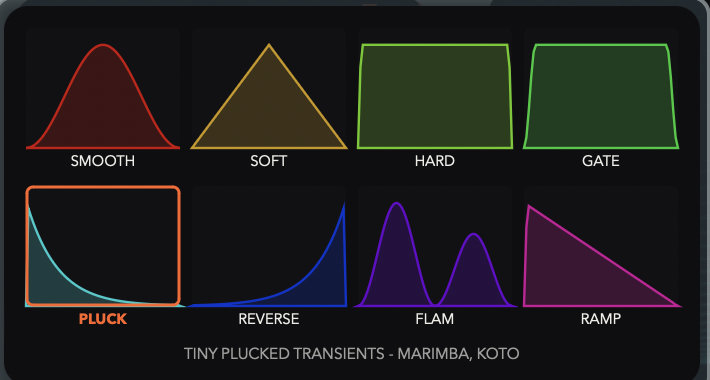
8 grain shapes.
Two modes, one plugin
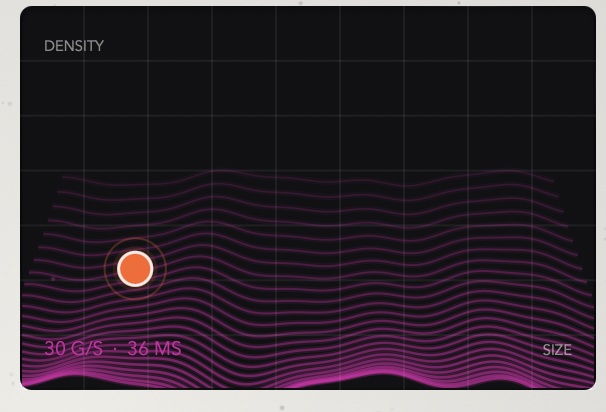
Size and density granulation, one drag
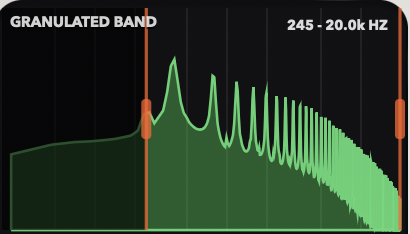
Chop only what you choose
ABOUT THIS VST

Everything You Need to Know

WHAT'S INSIDE

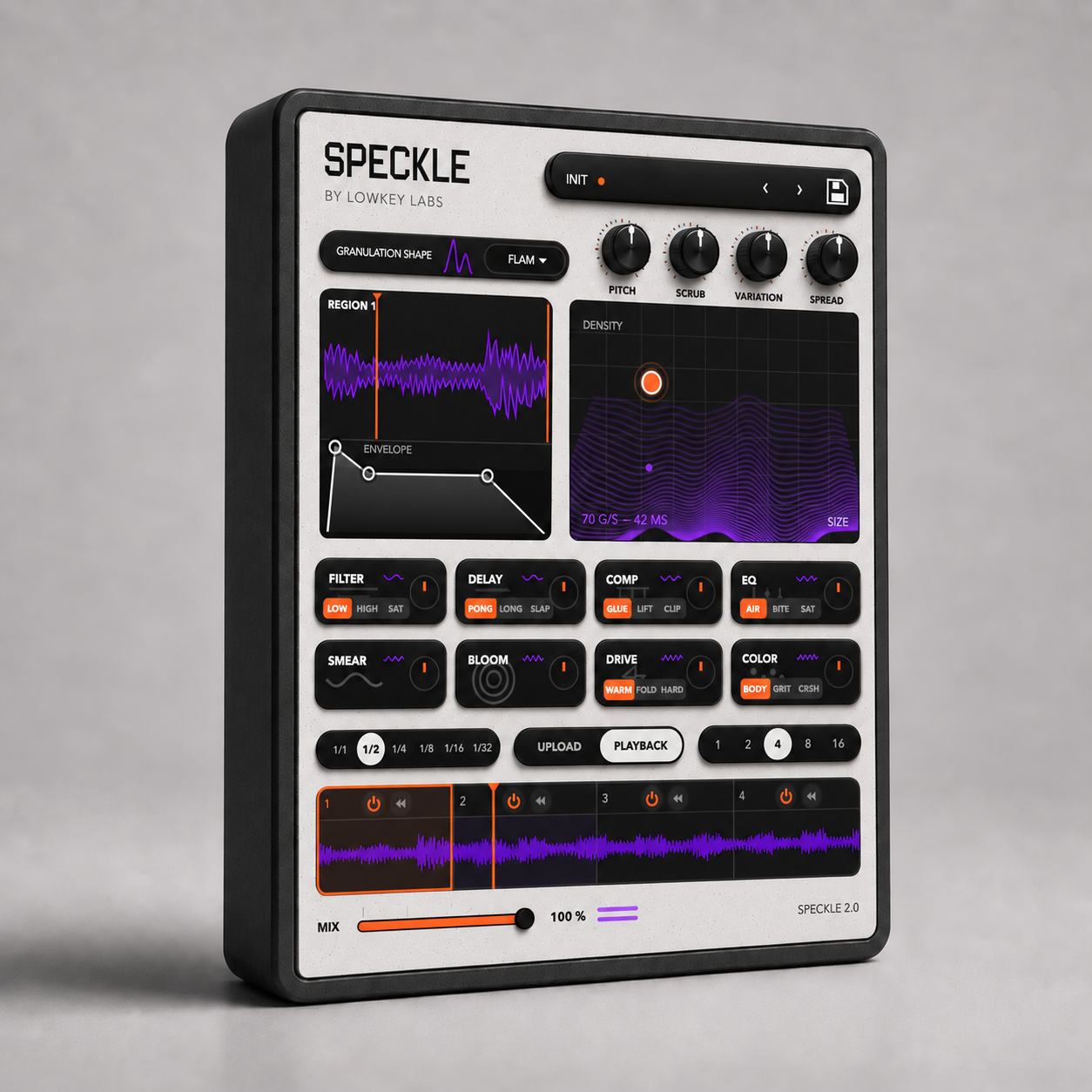
SPECKLE is a free granular synthesis VST — a granular effect that chops incoming audio into grains and rebuilds it in time with your track. Not an instrument or a sample pack: it drops on any channel, bus or insert and replaces the beat-repeat → granular → gate → filter → pitch chain you rebuild every session, or that's locked behind Ableton-only Max for Live devices. VST3 and AU, so it runs in FL Studio, Logic, Ableton, Bitwig, Studio One and Reaper. 51 presets across nine banks, grid-locked and ready before you touch a knob.

The scrubbing side is what separates it from most granular plugins: a loop-length control that pins the playhead and repeats a shrinking slice, like dragging a needle across a record. That's a performance move as much as an effect — automate it and you have transitions, buildups and stutter fills without editing a single sample.
WHO IS THIS VST FOR

Producers and sound designers who work with existing audio — samples, loops, stems, field recordings — and want to turn it into something else.

Two things people reach for granular synthesis to do, and SPECKLE does both:

Texture. Stretch a melody loop into a pad. Turn a vocal into ambience. Build drones, beds and atmospheres out of source that was never meant to be one. For ambient, lo-fi, cinematic, experimental and anyone scoring to picture.

Rhythm. Stutter a beat, glitch a fill, freeze a bar, arpeggiate a chord, build a riser. Tempo-synced chops mean it lands on the grid instead of floating. For trap, hyperpop, plugg, IDM, drum & bass and breaks.

WHAT'S INCLUDED IN THE VST

  • 8 grain shapes — Smooth, Soft, Hard, Gate, Pluck, Reverse, Flam, Ramp
  • XY pad for grain size and density, with a live visualiser
  • Scrub — loop-length stutter that freezes and repeats a shrinking slice
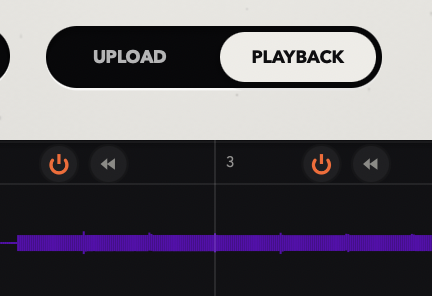
  • Up to 16 chop regions, each with its own shape, pitch, band, envelope and on/off switch
  • Bar divisions 1/1 → 1/32, locked to DAW tempo
  • Per-chop band filter with hover spectrum — pick which frequencies get granulated
  • Drawable envelope per chop for gating, tremolo and ducking
  • Pitch in semitones per chop — tempo-synced arpeggios from any loop
  • Stereo spread — real width from a mono source
  • 51 presets across nine banks, plus a user bank
  • 8 Post-Processing Effects: FILTER, DELAY, COMPRESSION, EQ, SMEAR, BLOOM, DRIVE, COLOR
  • Upload mode — load a sample, audition, export, drag into your DAW
  • VST3, AU and standalone on macOS; VST3 and standalone on Windows
  • Universal build — Apple Silicon and Intel

HOW TO USE THE SPECKLE: GRANULAR SYNTHESIS VST PLUGIN

Install, rescan plugins, drop it on a melody, drum bus or full beat.

Start with a preset — Stutter & Rolls for trap rolls and freezes, Gated Rhythm for pumping and chop, Clouds & Texture for pads and ambience, Pitch Sequences for arps and risers.

Then shape it: Size & Density from fine buzz to continuous cloud, Scrub to freeze and repeat, Variation to loosen it up, Spread to widen, Mix to blend against the original.

Pro tips: Keep Scrub between 15–40% for musical stutters — past 55% the repeats become a tone. Hover the waveform for the spectrum, then pull the low handle to ~300 Hz so only mids and highs get chopped and your low end stays intact. Switch individual chops off to alternate granulated and dry hits in one bar. Automate Scrub Macro across a build for a needle-drag transition.

GOOD TO KNOW

Frequently Asked Questions

What formats are included?+

VST products include the plugin formats shown on the product page. When both platforms are available, your download page separates the files into Windows and Mac folders.

What DAWs do the VSTs work with?+

They work in DAWs that support the included plugin formats, including FL Studio, Ableton, Logic, Studio One, Cubase, and other modern hosts.

How do I install the plugin?+

Download the files, choose the Windows or Mac folder, install or place the plugin in the proper plugin folder, then rescan plugins inside your DAW.

What if the VST does not show up in my DAW?+

Make sure your DAW is scanning the correct VST3 or Audio Unit folder, then run a full plugin rescan. Some DAWs cache plugin lists until you force a rescan.

Can I use the sounds I make commercially?+

Yes. Music you create with the VST is yours to release commercially. The plugin itself, presets, installers, and raw included files cannot be shared or resold.